← all work case study 02 · real work + work in progress

Fiza, the loan hub inside Zalo

Discovery, application, eKYC and repayment for partner banks in Vietnam.

Nhat Hoang · Product design lead · 2026

about this demo

Partner work is under NDA, so some screens are rebuilt. Each section is tagged shipped or prototype · wip

the setting

A fintech app that lives inside a messaging app

No install, no sign-up

A Mini App inside Zalo. No download, no new account.

Partners run the application

Each bank ships its own mini-app. Fiza brings the user in and keeps the loan after.

My role: design lead for the hub, the partner shell and loan management.

act 01

One hub, many partners

Six product families, one entry point, one design language.

product context · 01

Six service lines under one roof

Quick loan

Unsecured, decided in minutes, fully in-app.

Secured loan

Document-heavy, ends at a branch.

Credit cards

Limit estimate, then issuer approval.

Debit cards

Opened together with a new bank account.

Bank accounts

eKYC first, then the account.

Insurance

Health and motor. Quote before form.

product context · 02

Three surfaces, two owners

  1. Fiza owns

    The hub

    Discovery, eligibility, offers, the pre-filled profile.

  2. the partner owns

    The mini-app

    Customer info, eKYC, disbursement details, process status and the result.

  3. Fiza owns

    Loan management

    Schedule, due dates, repayment, documents.

act 02 · applying without Fiza

The same forms again and again, deals you hunt alone, loans spread across bank apps.

the response

Fiza does four things

the same data, twice

Checks the user's info

Declared once, reused for every application.

eligibility arrived last

Filters out the deals

Only offers you qualify for, ranked by cost.

a wall of partner forms

Prepares what the partner needs

Each partner wants different fields. The agent sends exactly those.

silence after submit

Helps the user manage the loan

Tracked status, then schedule and repayment in one place.

act 03

The flow, step by step

From the hub to a signed loan, then every month after it.

the flow · 01 prototype · wip

Agents hold the profile and push the task

Income and debt declared once. Every agent works from that one profile, and carries the next task on it.
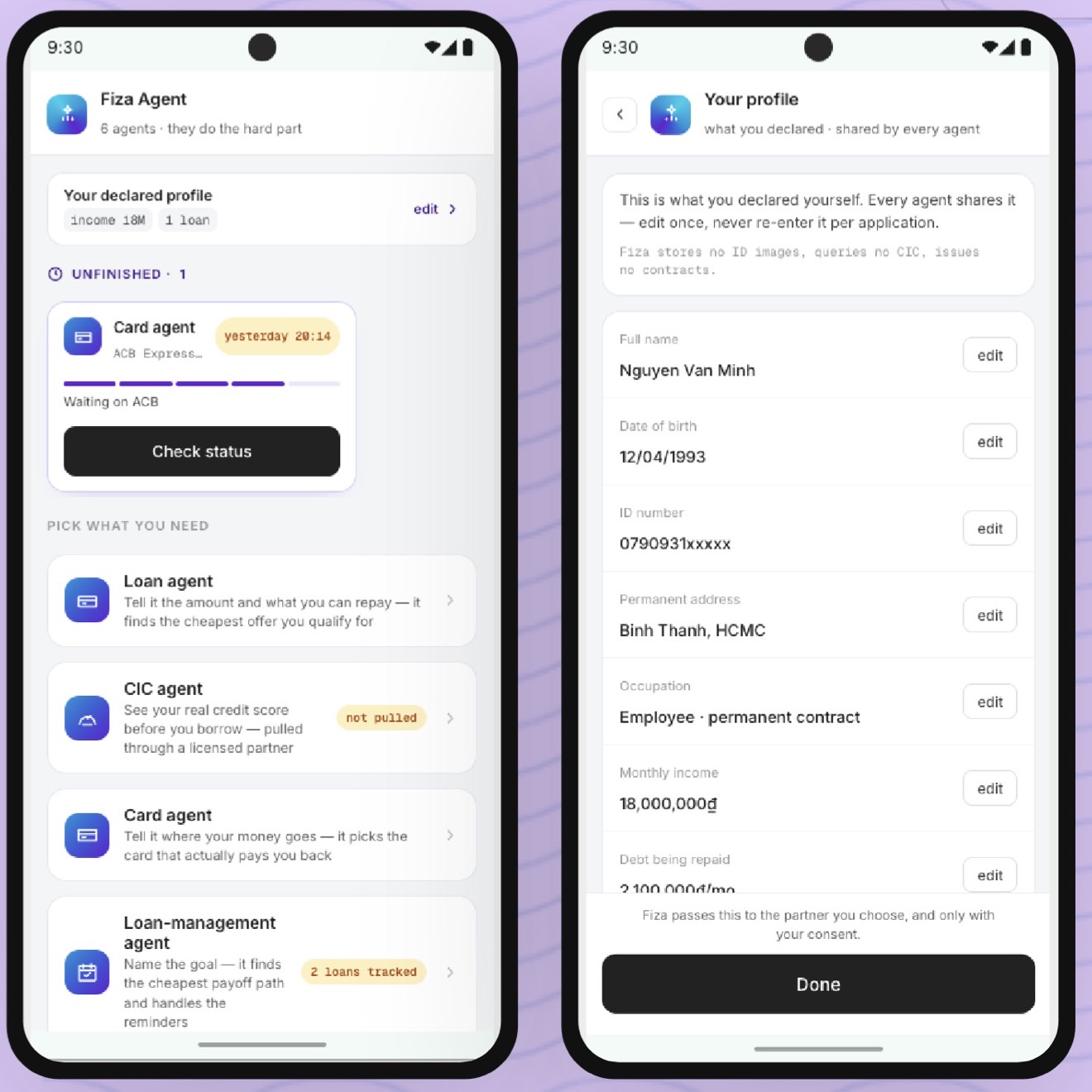
Two phones: the Fiza Agent home with an unfinished card application, and the declared profile shared by every agent
the flow · 02 prototype · wip

A home page for each kind of user

Six segments, one screen. Blocks reorder so the next thing to do comes first.
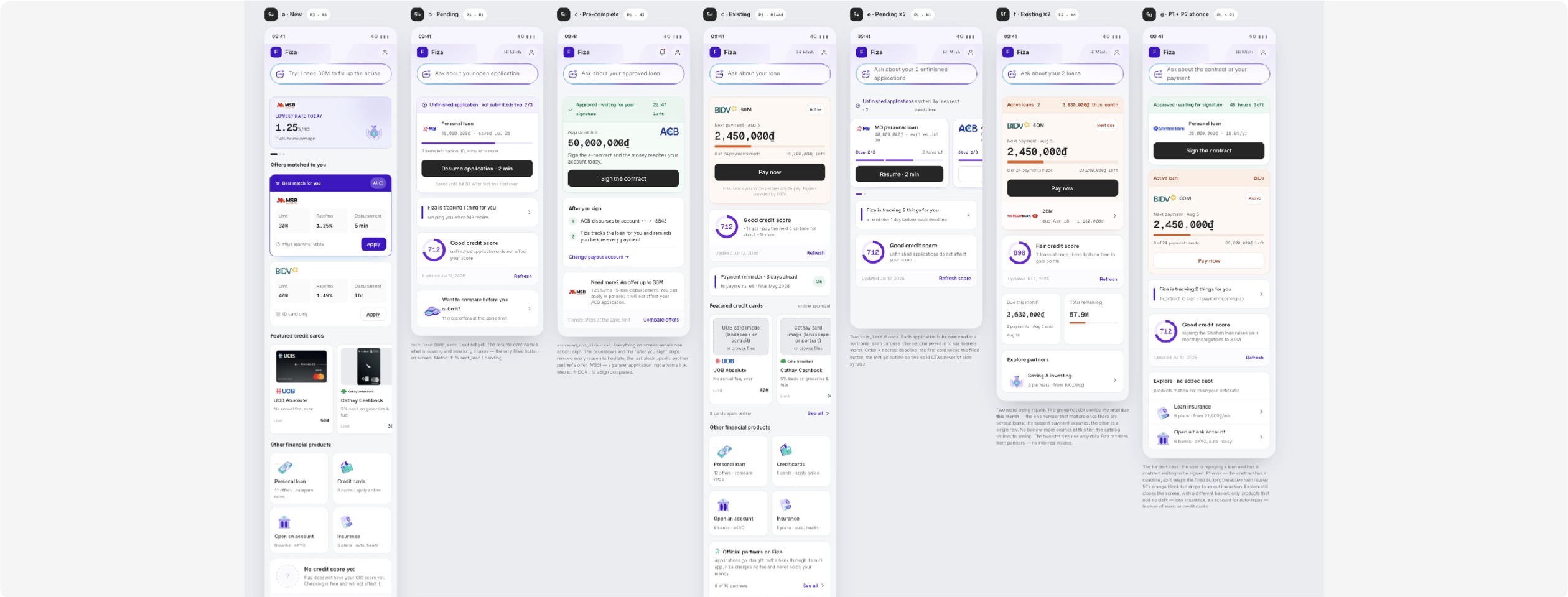
Seven versions of the hub home screen, one per user segment
same blocks, different order for each segment
the flow · 03 shipped

Five steps, one shell, every partner

  1. 01

    Customer info

    Pre-filled. Confirm, don't type.

  2. 02

    eKYC

    ID, liveness, OTP — each with a failure state.

  3. 03

    Disbursement info

    Checked against the eKYC name.

  4. 04

    Process status

    Leave and come back.

  5. 05

    Result

    Approved, adjusted or declined — one next action.
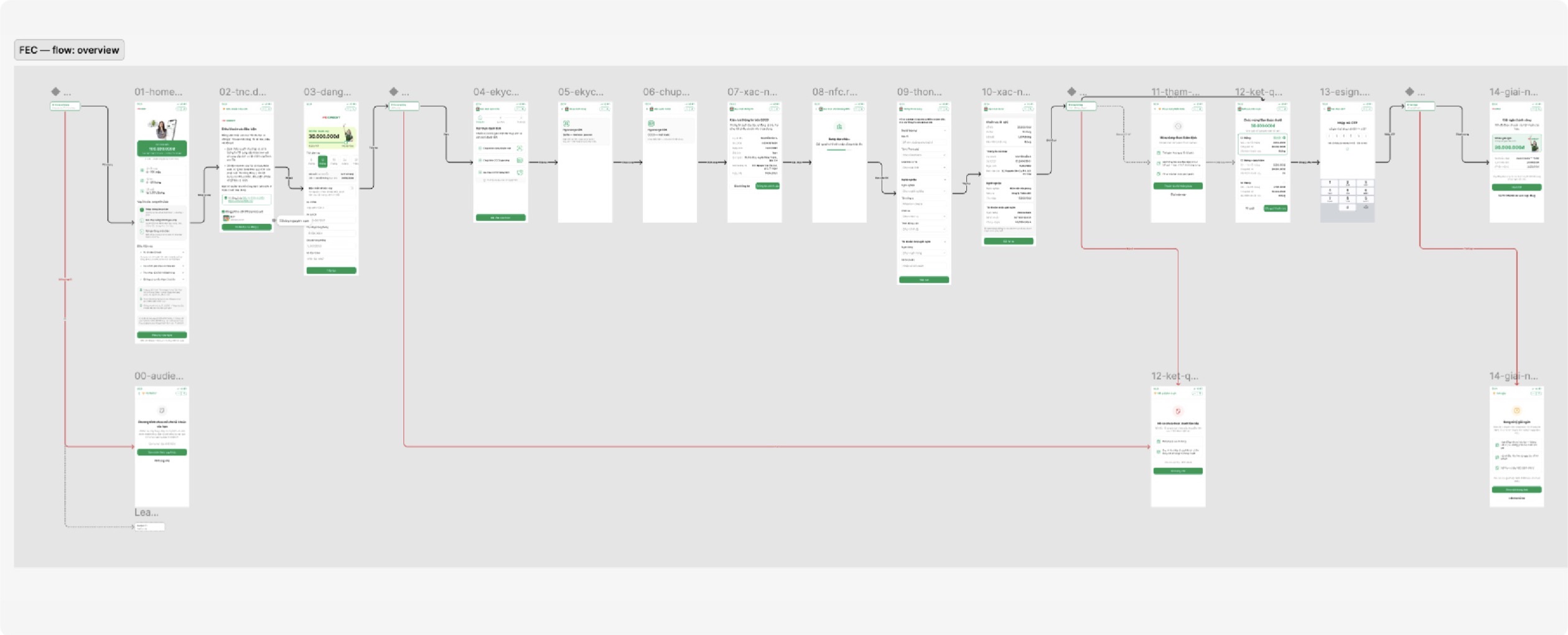
the contractPartners may add fields inside a step. They may not add, reorder or rename a step.
The full application flow in Figma, from hub hand-off to disbursement, with error branches
the finished flow, error branches included
the flow · 04 prototype · wip

No forms once the agent holds the profile

No wall of forms

Fields come from the profile, shown in full, editable.

Only what the partner asks for

Only the fields that partner needs, and what's left to do.
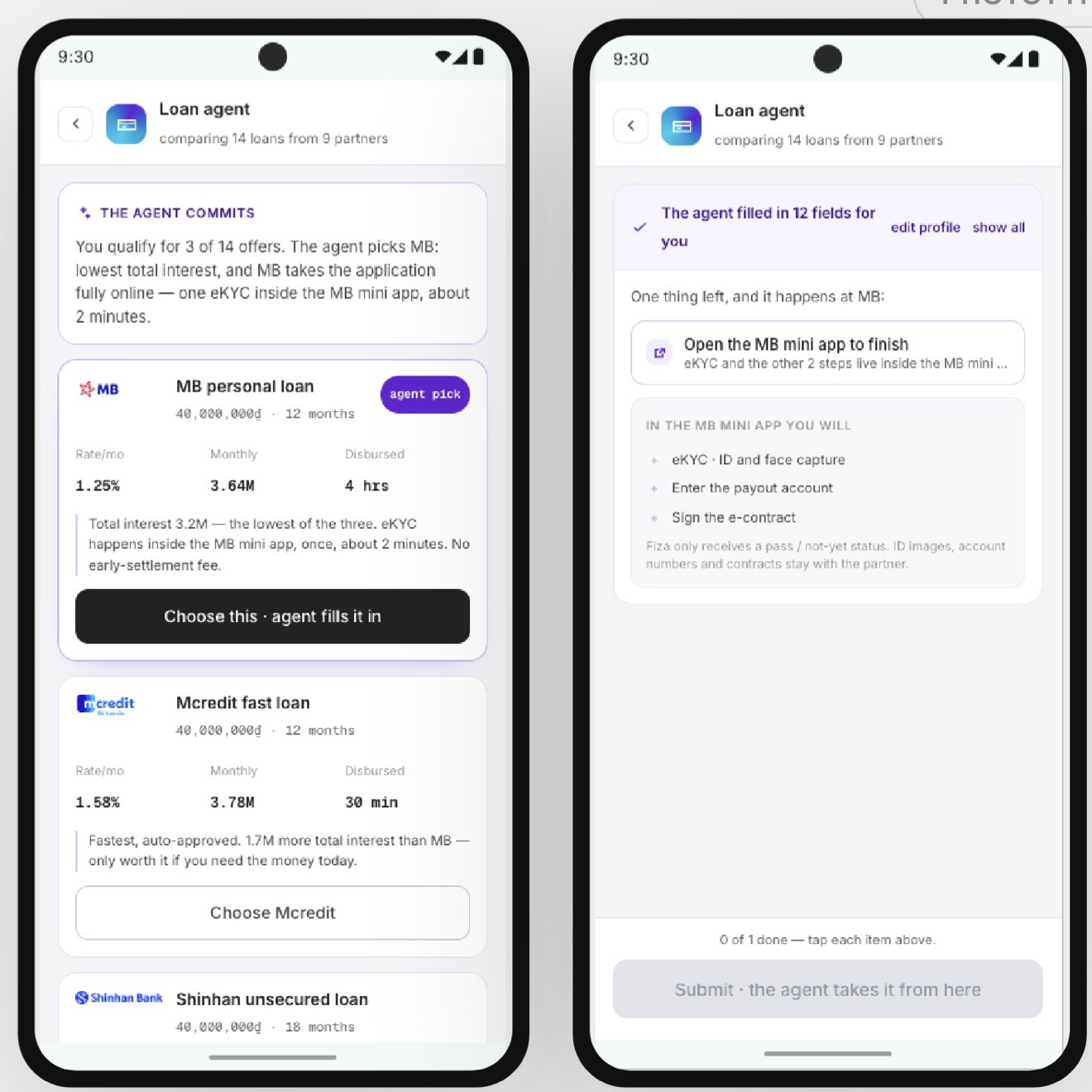
Two phones: the loan agent comparing offers, and the partner step with 12 fields already filled in
the flow · 05 shipped

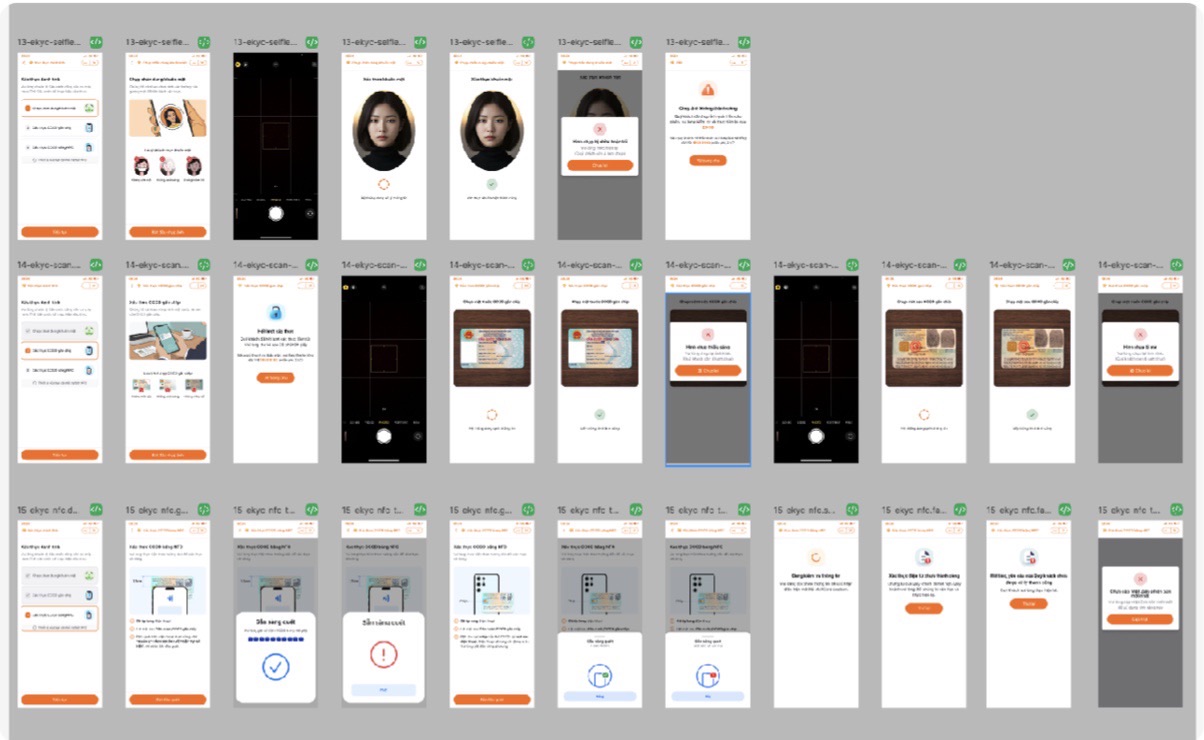
Selfie, ID scan, NFC read

Three captures, each with a retry branch and a hard-fail exit.
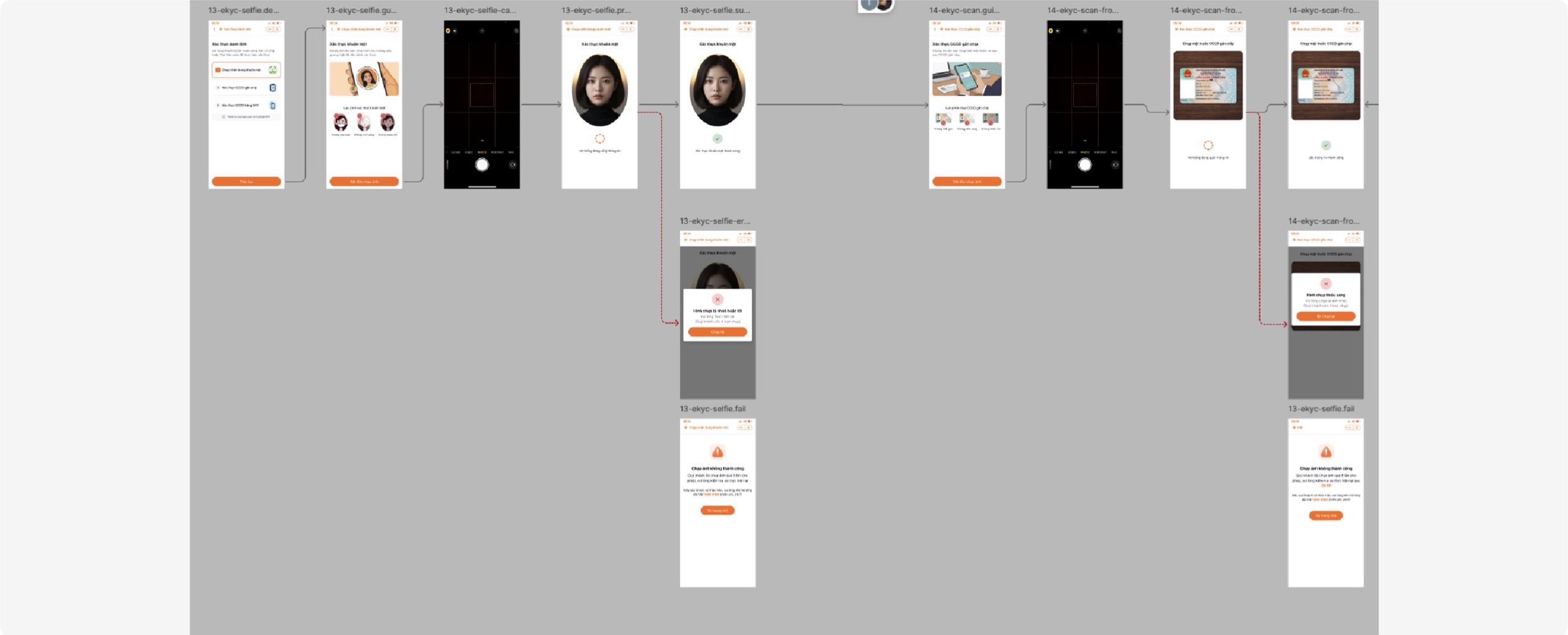
Selfie and ID capture screens with retry and failure branches
every failure has its own screen and a way back
the flow · 06 shipped

The decision, then the contract

Amount, term, rate and monthly payment in full. Signed on the same screen.

Read against the request

A changed limit or term is visible at a glance.

Terms before the signature

Key terms above the signature.

Payout account shown

Payout account on the same screen, editable until signing.
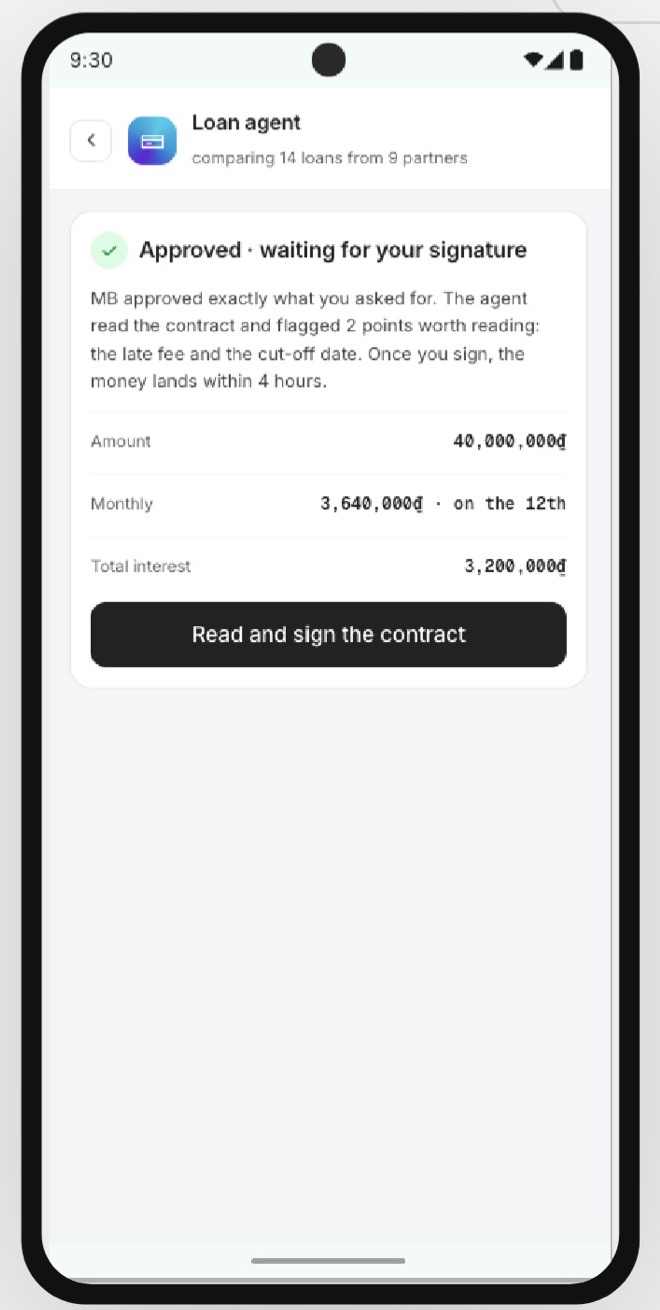
Phone showing an approved loan waiting for signature, with amount, monthly payment and total interest
the flow · 07 shipped

Signed, then handed to the next agent

Most products stop at the signature. Here the loan moves straight into Fiza loan management.
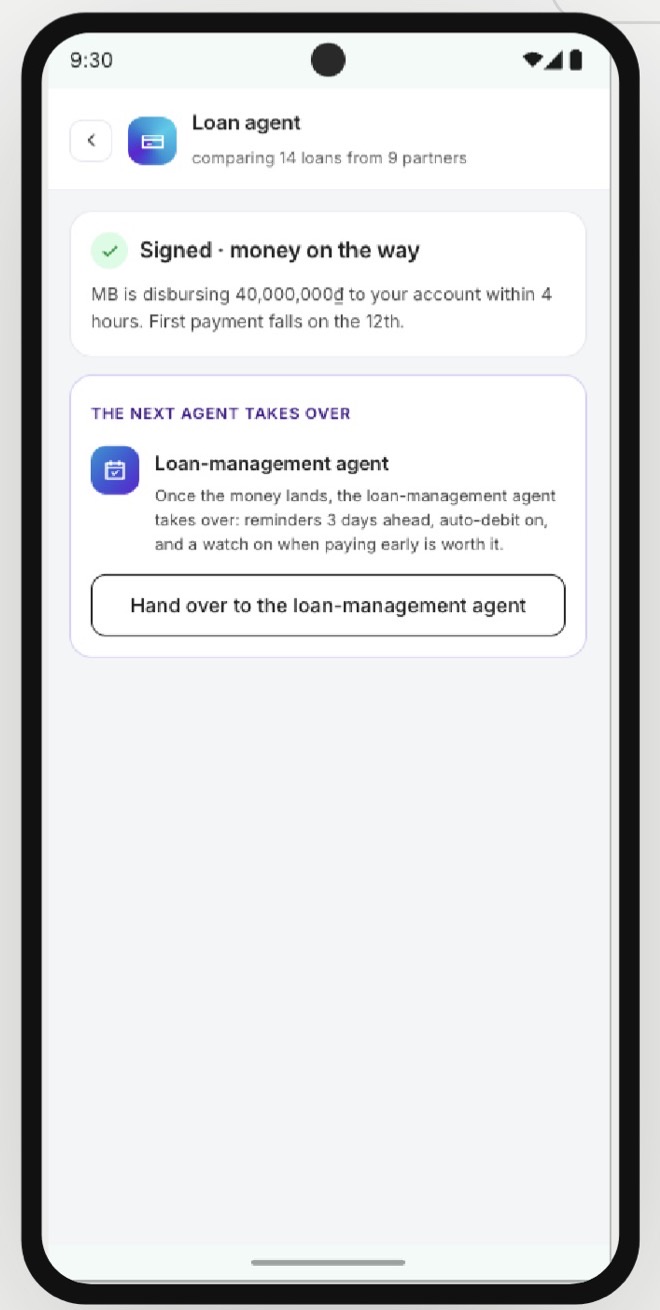
Phone showing a signed loan with the money on the way and the loan-management agent taking over

Disbursement stated

Amount, account, arrival, first due date.

Handed to the next agent

Loan management picks it up — nothing is left unowned.

Tracked while processing

Visible until the money arrives.

the flow · 08 shipped

Every loan in one place

Every partner's loans in one list. Each card leads with the next instalment.
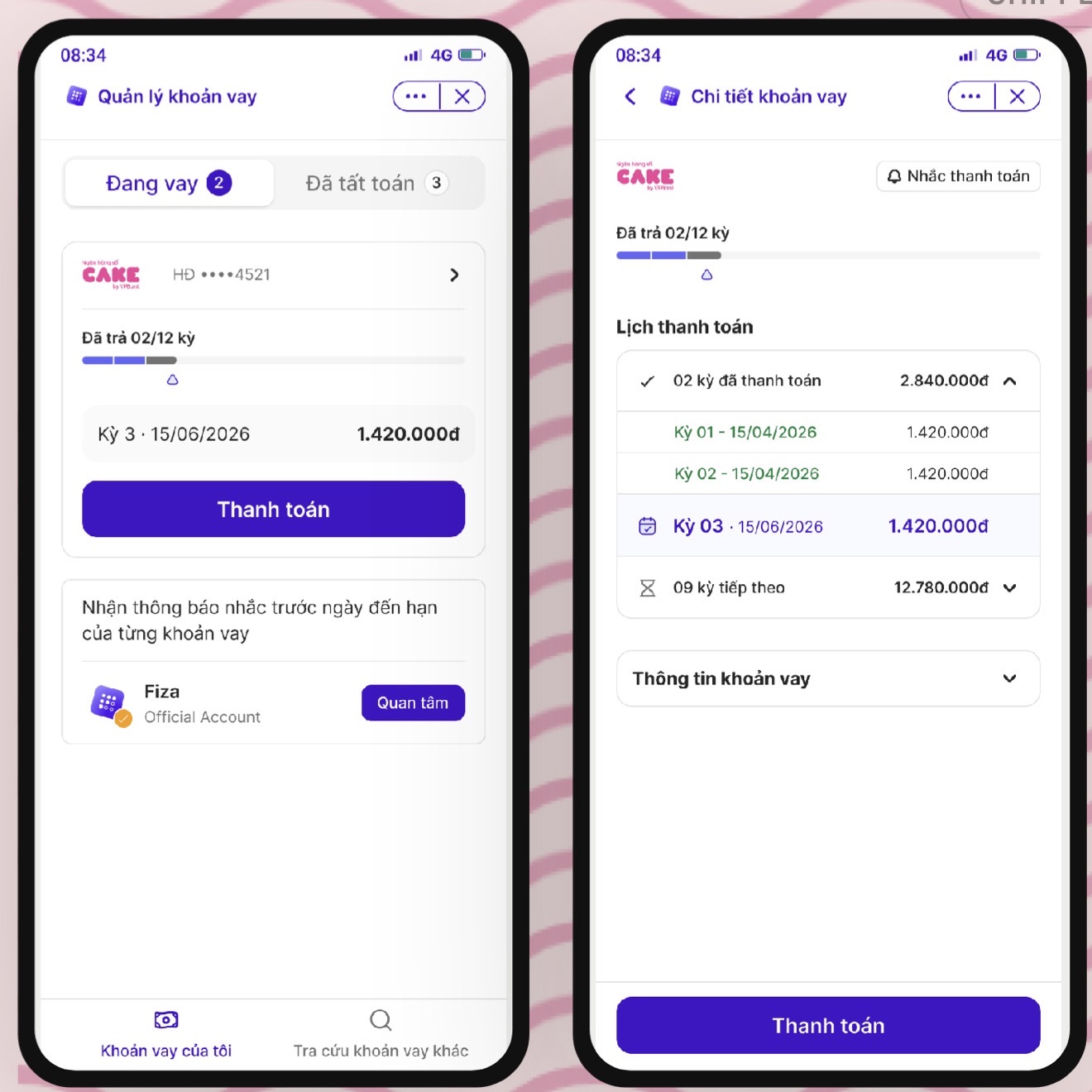
Two phones: the loan list with the next instalment, and the loan detail with the repayment schedule
the flow · 09 shipped

The paying flow

Pay one instalment, part of it, or settle. Out to the bank app and back.
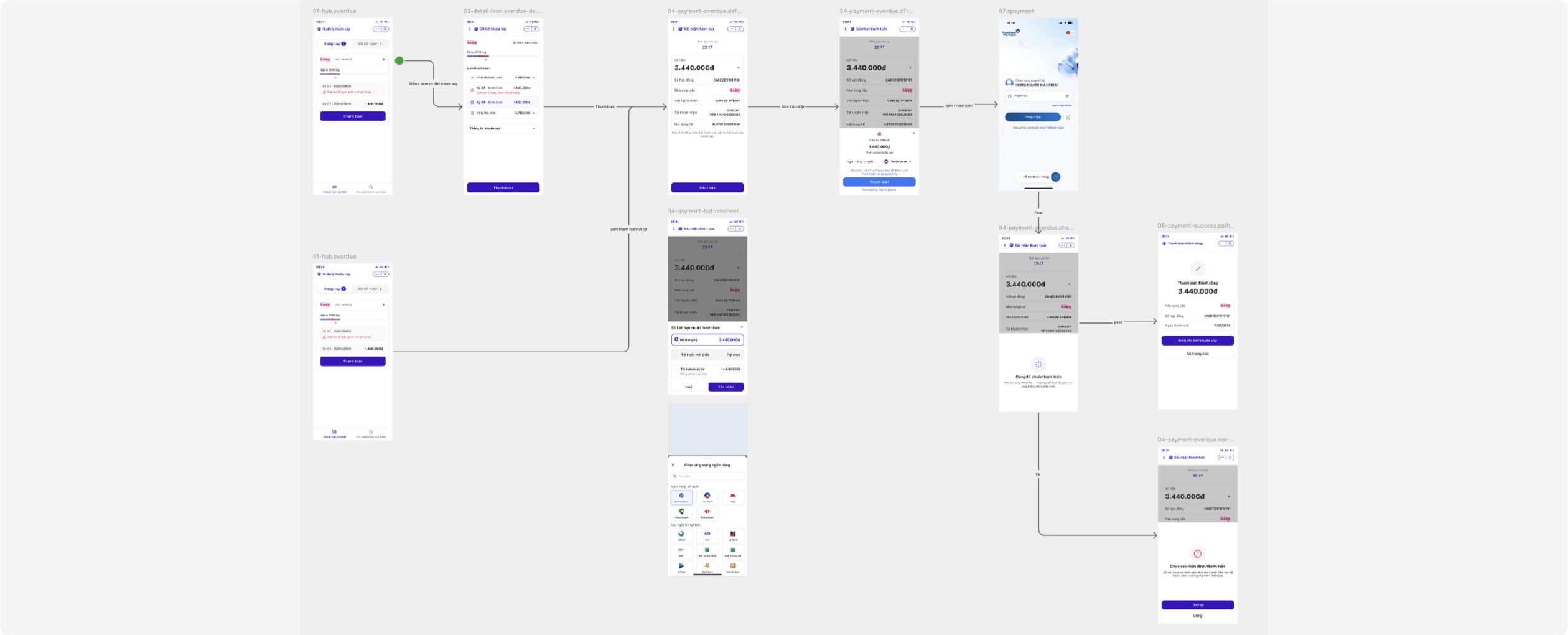
The repayment flow in Figma, including the overdue and unconfirmed payment branches
out to the bank app and back, for every outcome
act 04

How we know it worked

Four weeks after release against the quarter before. The real numbers stay with the partner.

outcomes

Before and after

The bars show which way each metric moved, not by how much.

metricbefore → afterin plain wordshow it was measured
Application conversionmore people finish ↑From Zalo entry to a submitted application
Drop-off at customer infofar fewer quit here ↓The step the agent pre-fills, so the change we can attribute
eKYC first-attempt passmore pass first try ↑One partner only, after the failure-state work

the honest caveat

Bars aren't to scale. The release shipped alongside a partner rate change, so conversion isn't a clean read — the drop at customer info is the one I stand behind.

act 05

Design system

One component set for every partner. A designer picks a token, and the partner theme decides what it resolves to.

foundations shipped

Built on Shadcn40, tokenised throughout

Extends the Shadcn40 kit. Colour, type, radius and shadow are all named variables.
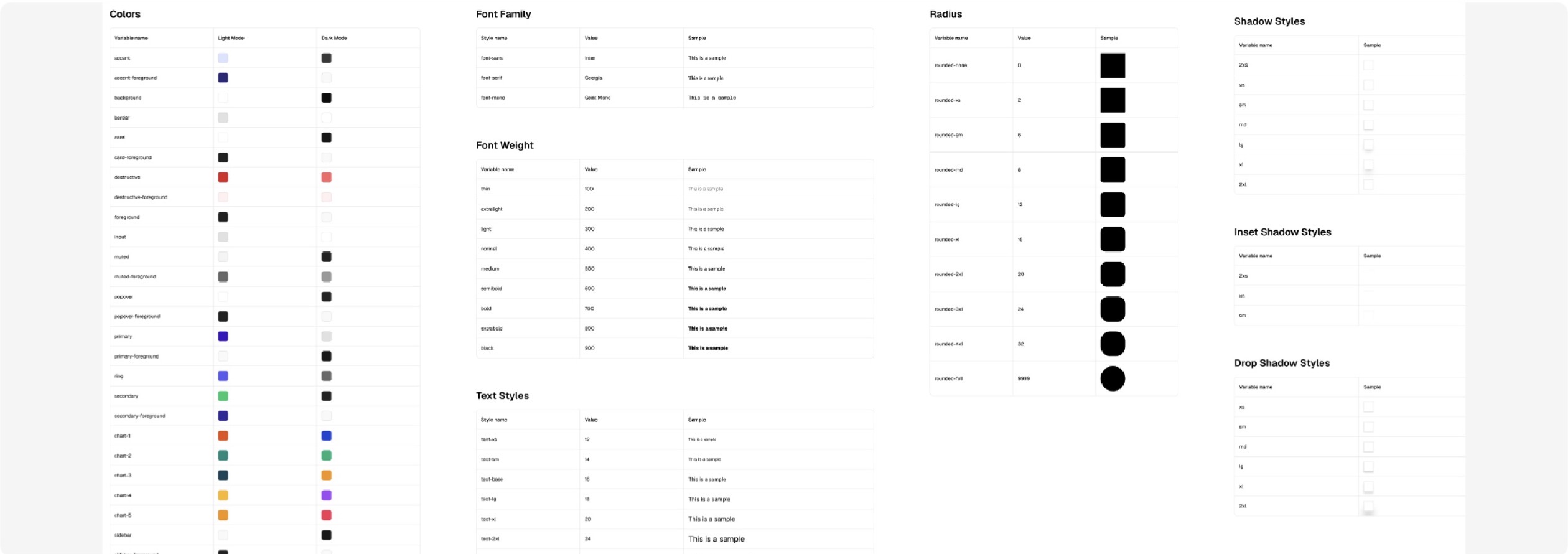
Token tables for colours, font family, weight, text styles, radius and shadows
theming shipped

Many brands, one component set

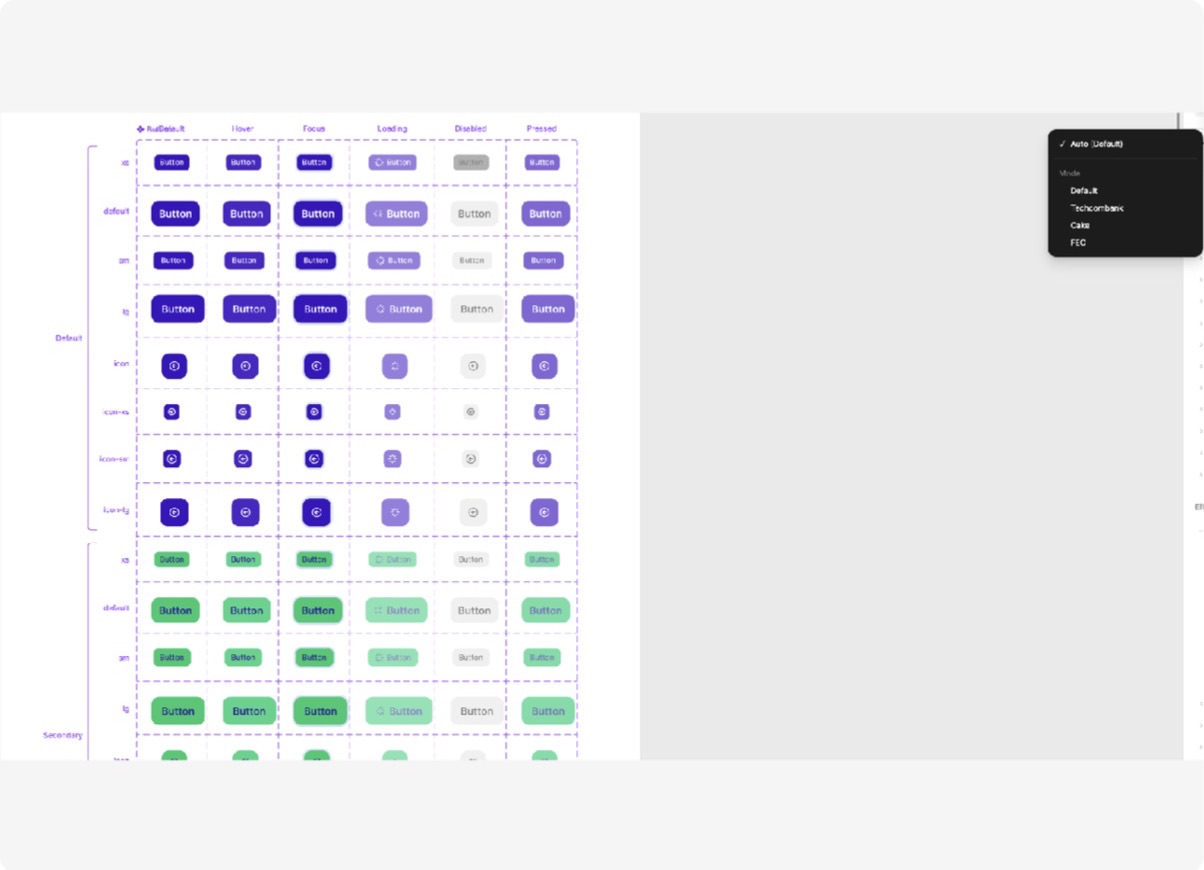
One column per partner. Switching the theme re-skins the mini-app; sizes, states and spacing stay identical.
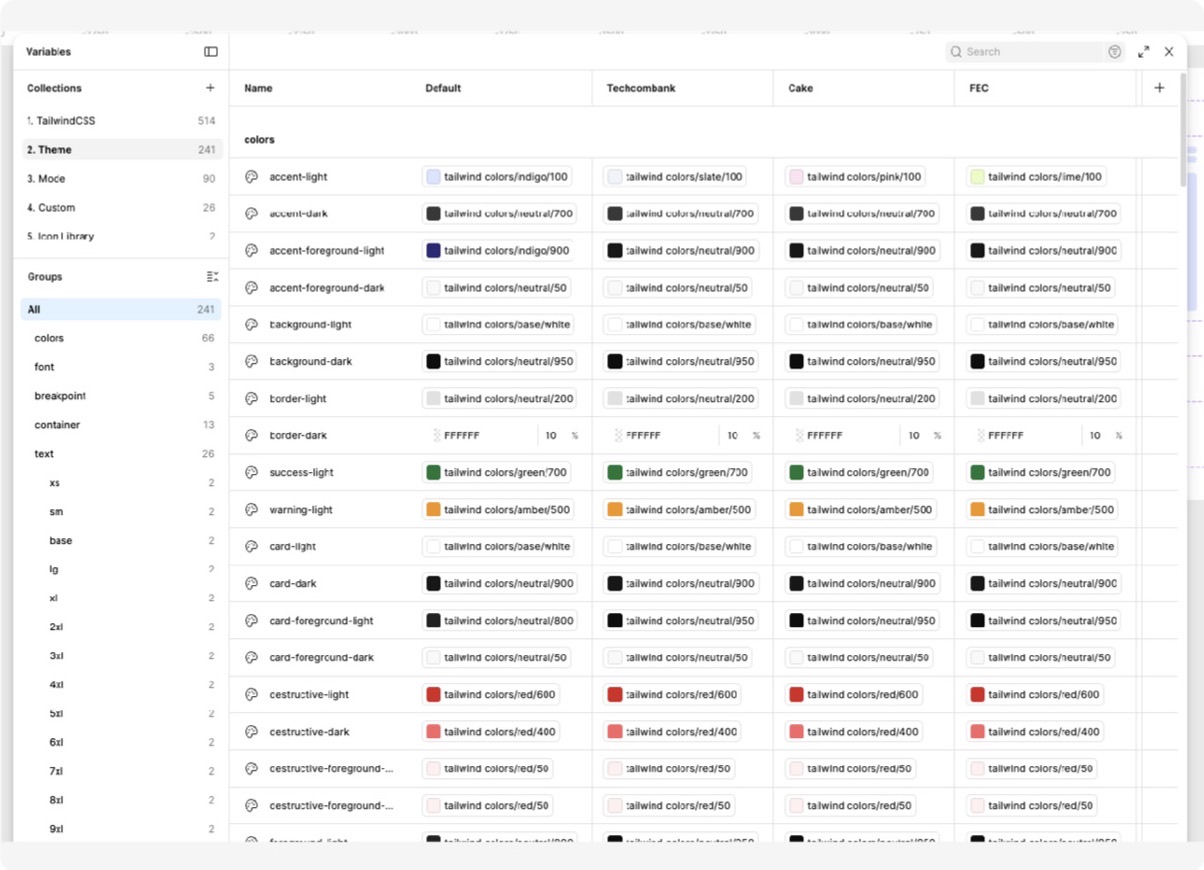
Theme variables with one column per partner: Default, Techcombank, Cake, FEC
theme variables, one column per partner
The button in every size and state, shown per theme
the button in every size and state, per theme
systems work shipped

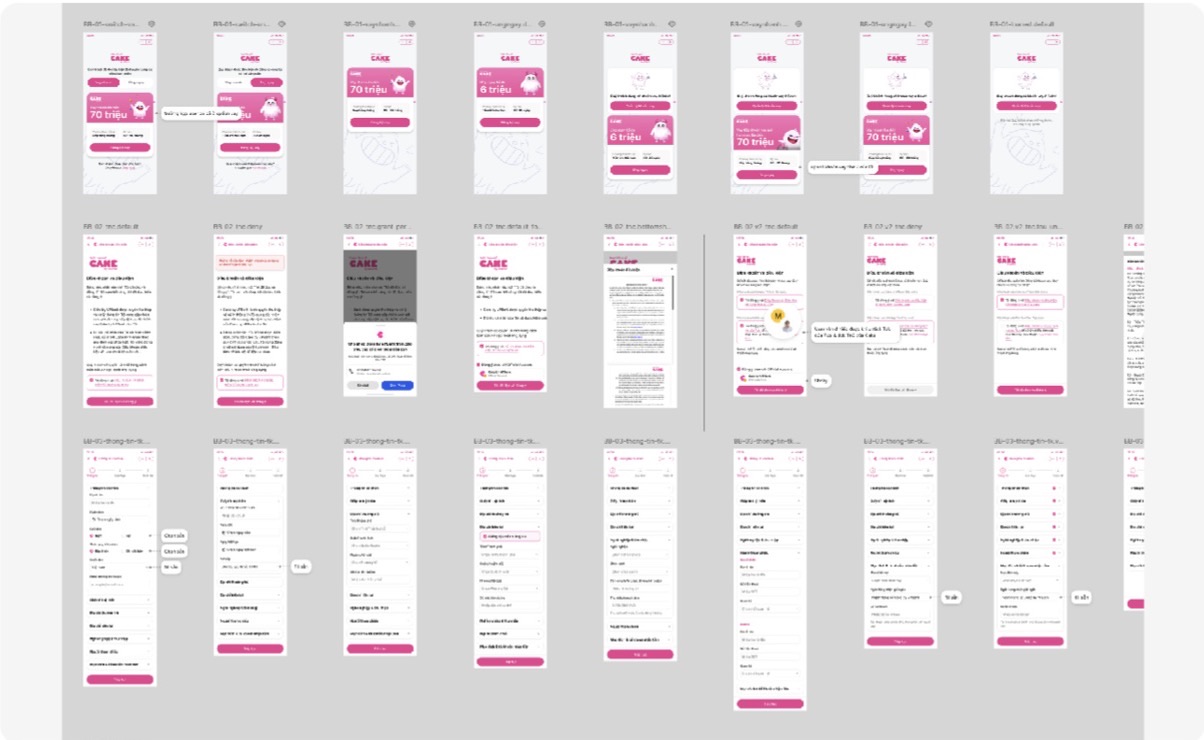
Brand identity controlled by the theme

Partners change the logo, the colour and the copy. The rest comes from the kit.
FieldOTP inputStepperStatus pillConsent blockDoc uploadResult cardEmpty and error
Application states for one partner theme
a partner's application states
eKYC states for another partner theme
another partner's eKYC states, same kit
iconography shipped

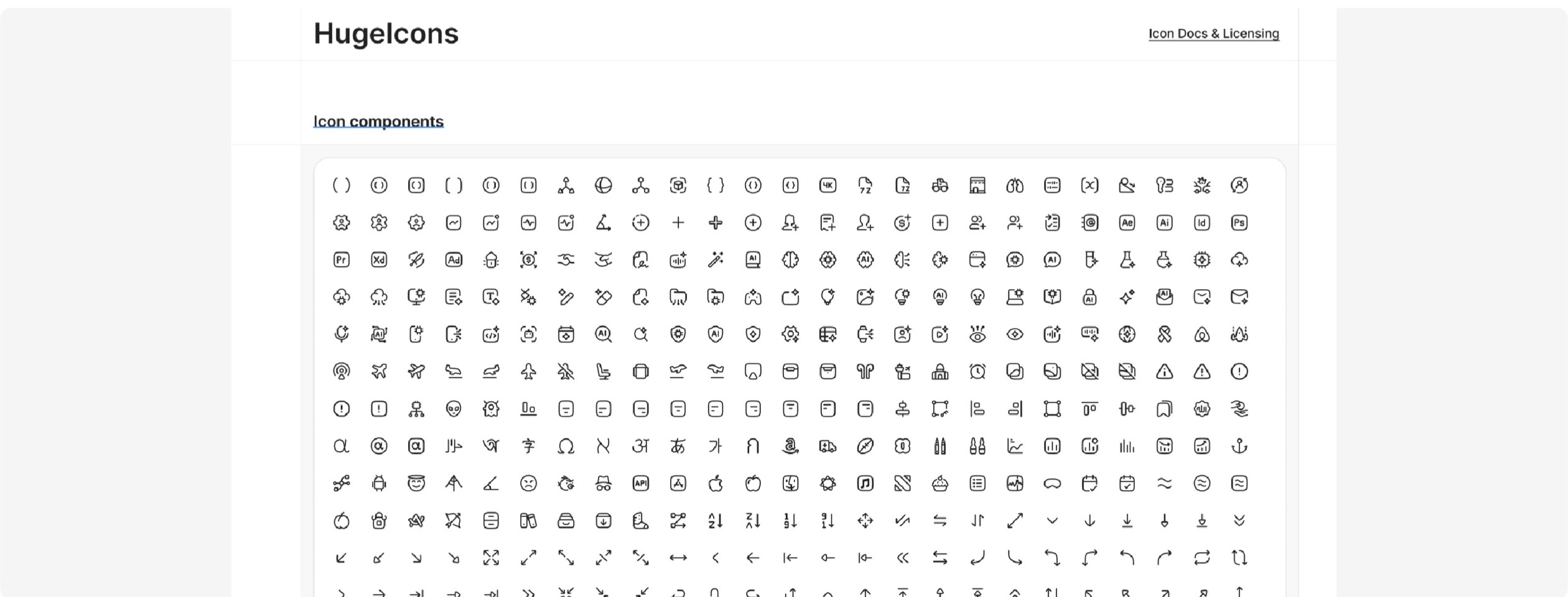
One icon set, wired as a library

Hugeicons only, wired as components so nobody drops in their own stroke weight.
The Hugeicons component library page
how it stays in sync shipped

Figma and Storybook, kept in step with AI

Designers work in Figma, developers ship React in Storybook. Agents keep the two matched; front-end has the final say.

the agent carries changes both ways; front-end merges

Tokens by script

Exported from Figma, synced into code with one command. A check fails on drift.

A guide for coding agents

A generated guide, so a dev's agent picks the real component, not a look-alike.

Motion too

Figma animation exported to SVG and CSS, so code moves like the kit.

gate ✓Front-end reviews and merges every change. 55 components tracked, 47 with stories.
what's next

An admin dashboard for partners

So partners set up their own campaigns instead of filing a request with us.

in short

  • one hub, many partners
  • declare once, reuse everywhere
  • the theme carries the brand